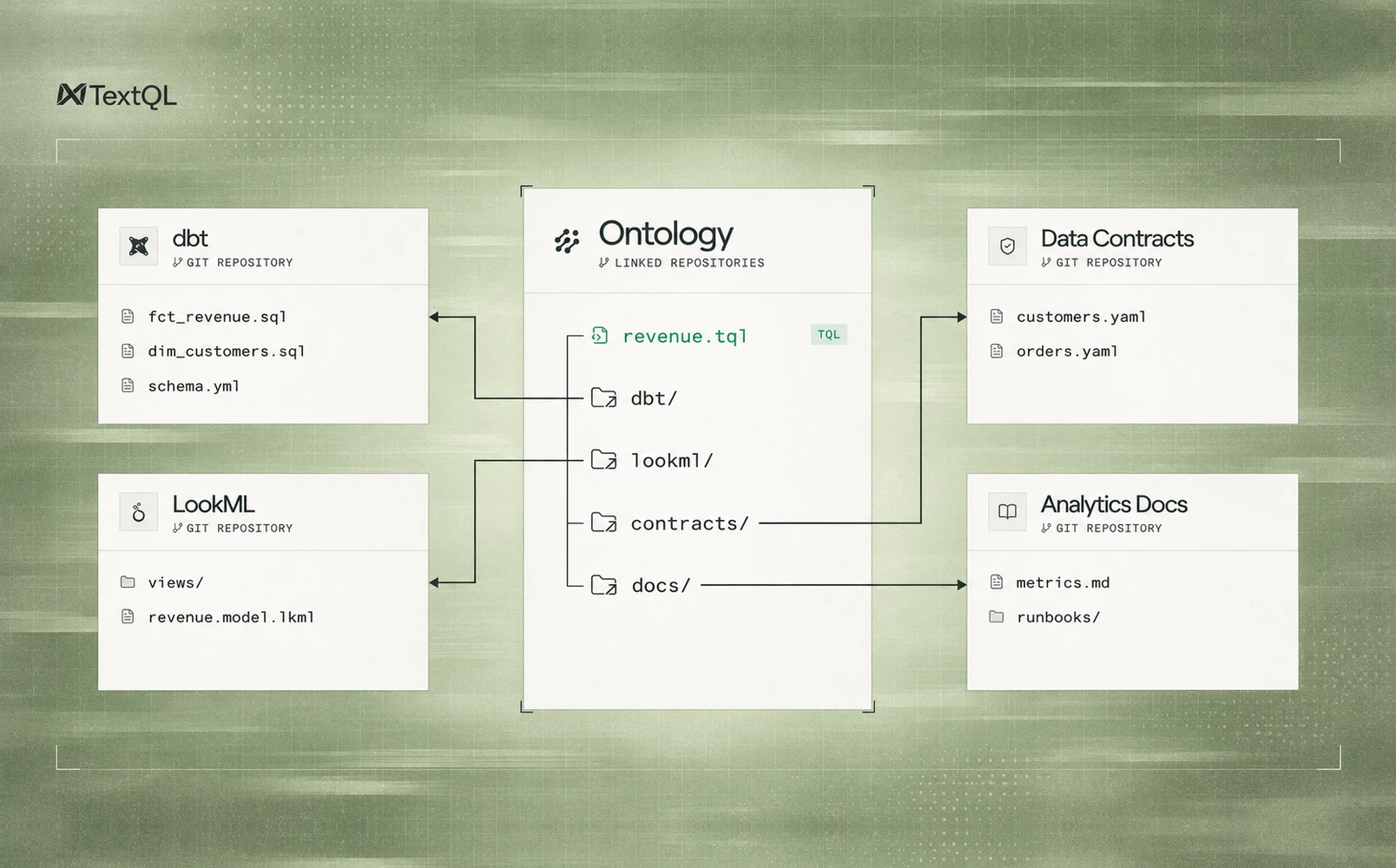
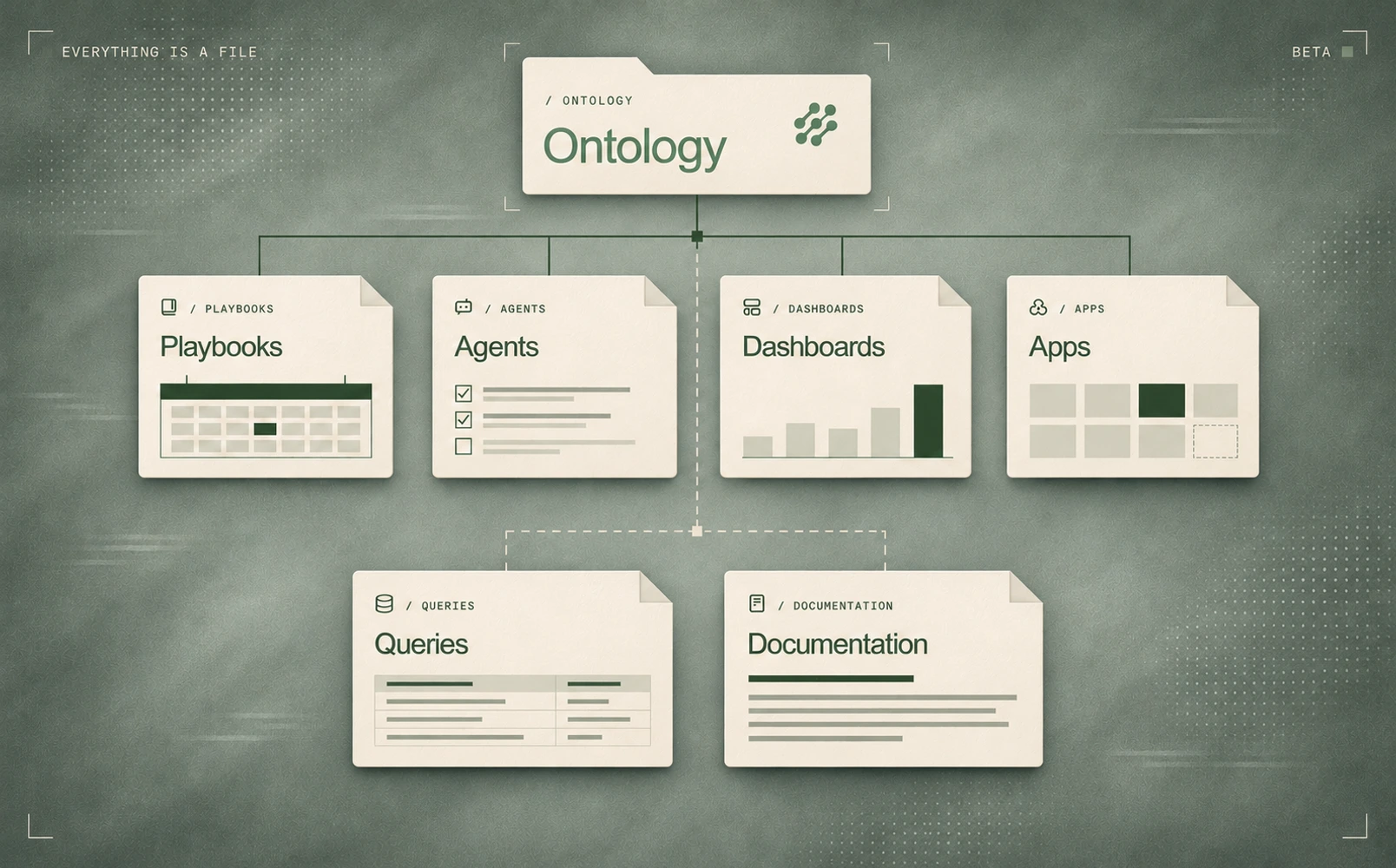
Creating a playbook saves its configuration to the TextQL Ontology as a file. When another user asks a related question in TextQL, Ana can find that file and reference the work already done.
Other playbooks, data apps, dashboards, and agents can be built on that configuration and metadata, sharing the same instructions and logic.
The configuration becomes shared context
A playbook's configuration describes how it works: its name, instructions, schedule, and connections. For dashboards and apps, the configuration also points to the code stored alongside it.
Saving that configuration puts it in the Ontology beside the organization's documentation, queries, and other assets. Ana can read the playbook's definition together with the context and logic behind it. The work is available beyond the conversation or user that created it.
Playbook { name = "Scheduled Analysis", prompt_file = "instructions.md", cron_string = "0 13 * * 1", query = "query.sql", connectors = ["id:78"], enabled = true}The next question can use that context
Another user's question in TextQL can lead Ana back to the saved playbook. Ana can inspect its configuration and metadata to understand how the work was set up, which instructions it follows, and which data and logic it uses.
That gives Ana an established approach to reference when answering the question. It can build on what the organization has already captured instead of reconstructing the same setup. The requesting user's permissions still determine which files Ana can access.
New assets build on the same foundation
The saved configuration can also become the starting point for another asset. A new app or playbook can use the existing instructions, supporting code, and references to shared logic. It extends an established setup rather than creating an independent copy of every piece.
Shared references keep those assets aligned. Several assets can use the same query or script, so a correction has one place to go. As more assets are built, the team has fewer separate definitions and copies to maintain.
The same approach supports reuse across teams. A working configuration can become a template that another team adapts, carrying forward the setup and methods already established. This reduces the sprawl that comes from rebuilding similar workflows independently.
Govern assets as code
Shared assets need a defined review process before changes reach users. A data app or playbook used across an enterprise needs a clear record of its logic, the changes made to it, and who approved them.
Saving playbooks, agents, dashboards, and apps as files lets teams govern them as code through the Ontology's existing version control and review process. Reviewers can inspect a proposed diff, check it against the organization's requirements, and approve it before the change takes effect. The author, description, and version history stay attached to the asset.
Reviewed versions, clear approval responsibilities, and a traceable history give enterprises a basis for trust. Teams can put more assets into users' hands while maintaining those standards and their existing access controls. Approved updates to shared logic then reach the assets that reference it on their next execution.
Enable the beta
Contact your TextQL team to enable the Everything Is a File beta for your workspace. Once enabled, existing assets migrate automatically, keep running, and retain their existing access controls. Users can continue creating and editing assets through the same interface.
Before enabling the beta, admins need to grant Ontology write permission to members who will edit their playbooks, agents, dashboards, or apps. Existing per-object permissions still apply.