
Your warehouse has your historical data. Your SaaS tools have everything else. Now Ana can reach both in the same conversation, securely, with no tokens exposed.
What We Built
We've added API Connectors to TextQL. Ana can now call external web APIs directly from the Python sandcastle (Salesforce, HubSpot, Jira, your internal services, whatever your team relies on) alongside your warehouse data, in the same session.
Nothing is open by default. Before Ana can reach any external endpoint, an admin has to explicitly whitelist the domain. Another option is having admins attach credentials and control which users get access. The created API connector will automatically have its domain whitelisted. Ana never sees your raw tokens. The credentials are injected at the network layer, so even if Ana's generated code were inspected line by line, there's nothing sensitive in it.
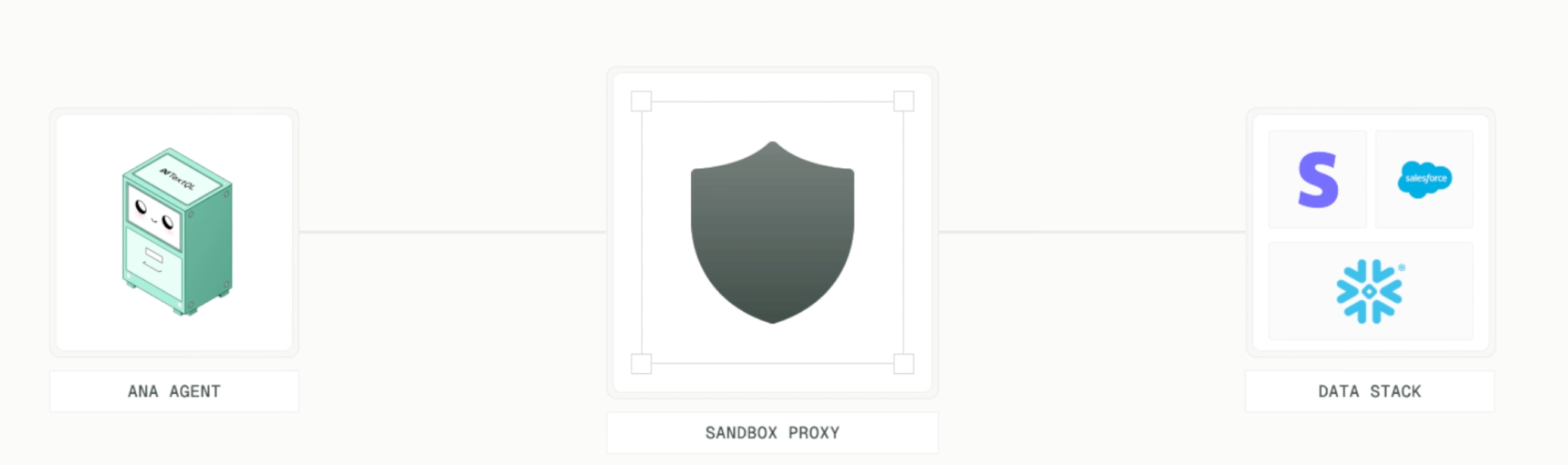
For the most common APIs, we ship pre-configured templates. Pick your provider, paste your token, test the connection, done. For anything custom, you specify the domain, headers, and auth format manually.
How It Works
Templates
For popular APIs (Salesforce, HubSpot, Jira, Slack, GitHub, and more), we offer pre-built templates. Navigate to Connectors > Add API, pick your provider, enter credentials, and hit Test Connection. If something fails, expand Advanced Options to tweak headers or auth format.
Custom APIs
For anything not in the template list, select Other at the bottom of the Add API menu. The first step is whitelisting the domains Ana is allowed to reach. Use *.domain to cover subdomains. Only HTTPS on port 443 is permitted by default. You can also set a token expiration, so credentials are automatically invalidated on your schedule.
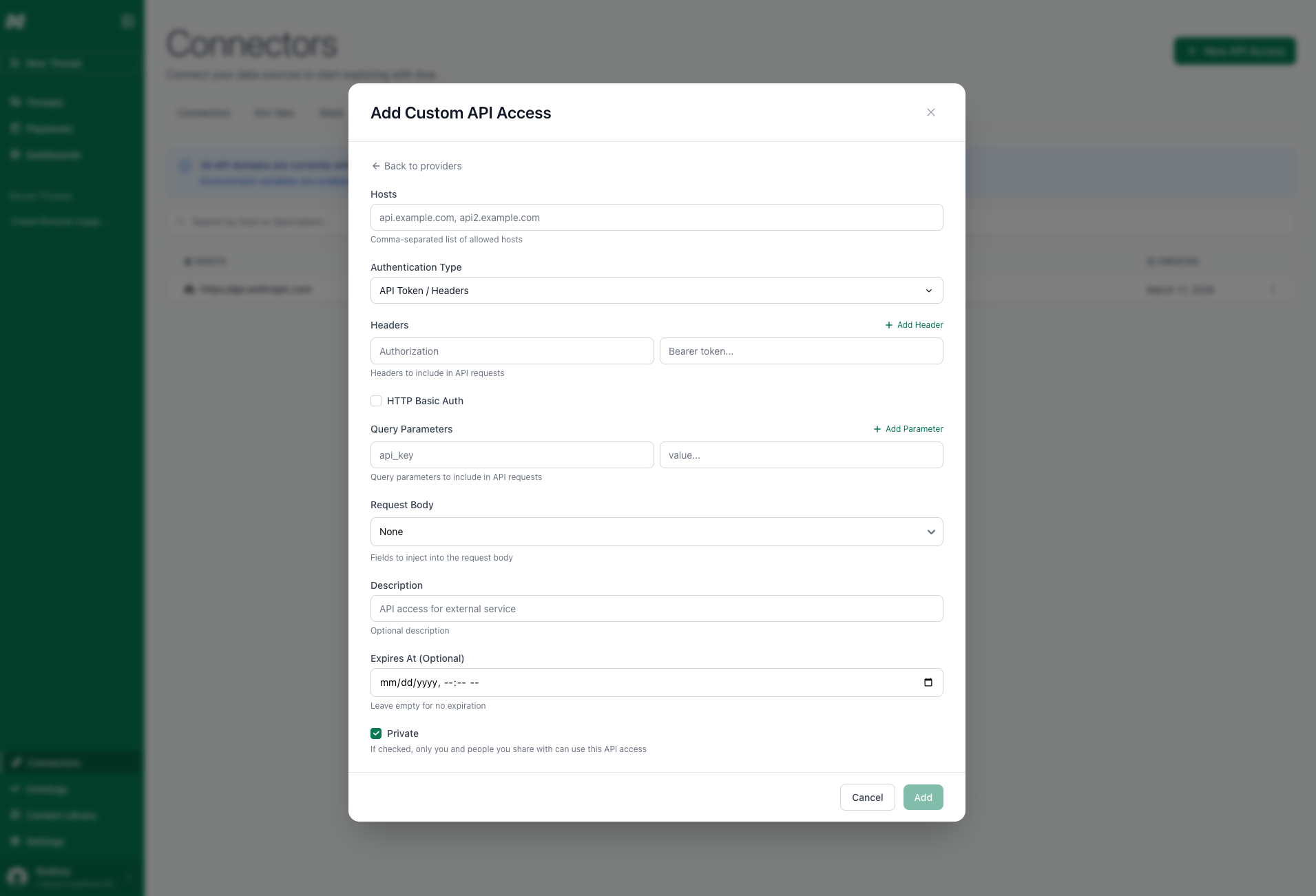
From there, you'll configure:
- Authentication headers or query parameters. Include prefixes like
Bearerdirectly in the value, since you're setting raw header values. - An optional description so Ana understands what the API does and what permissions the token carries.
- An optional expiry date so Ana won't attempt requests with a stale token.
You can create multiple connectors for the same domain with different permission levels and share them selectively across your org.
OAuth
For supported providers, you can use OAuth instead of static tokens. There are two types of OAuth: per-organization and per-user. Per-organization means the organization shares the same OAuth credentials. Per-user means that whenever an individual user tries to access the OAuth, they will be prompted to sign in with their own credentials.
Security Model
The design goal was simple: Ana should be able to call APIs without ever touching your credentials, and she shouldn't be able to call anything your admin hasn't approved.
Every external endpoint Ana can reach must be explicitly whitelisted by an admin first. There is no default access, no way for Ana to decide on her own that she needs to call some new service. If the domain isn't on the list, the request doesn't leave the sandcastle. Matching is strict on protocol, domain, and port, so whitelisting api.salesforce.com doesn't accidentally open up evil.salesforce.com.attacker.io.
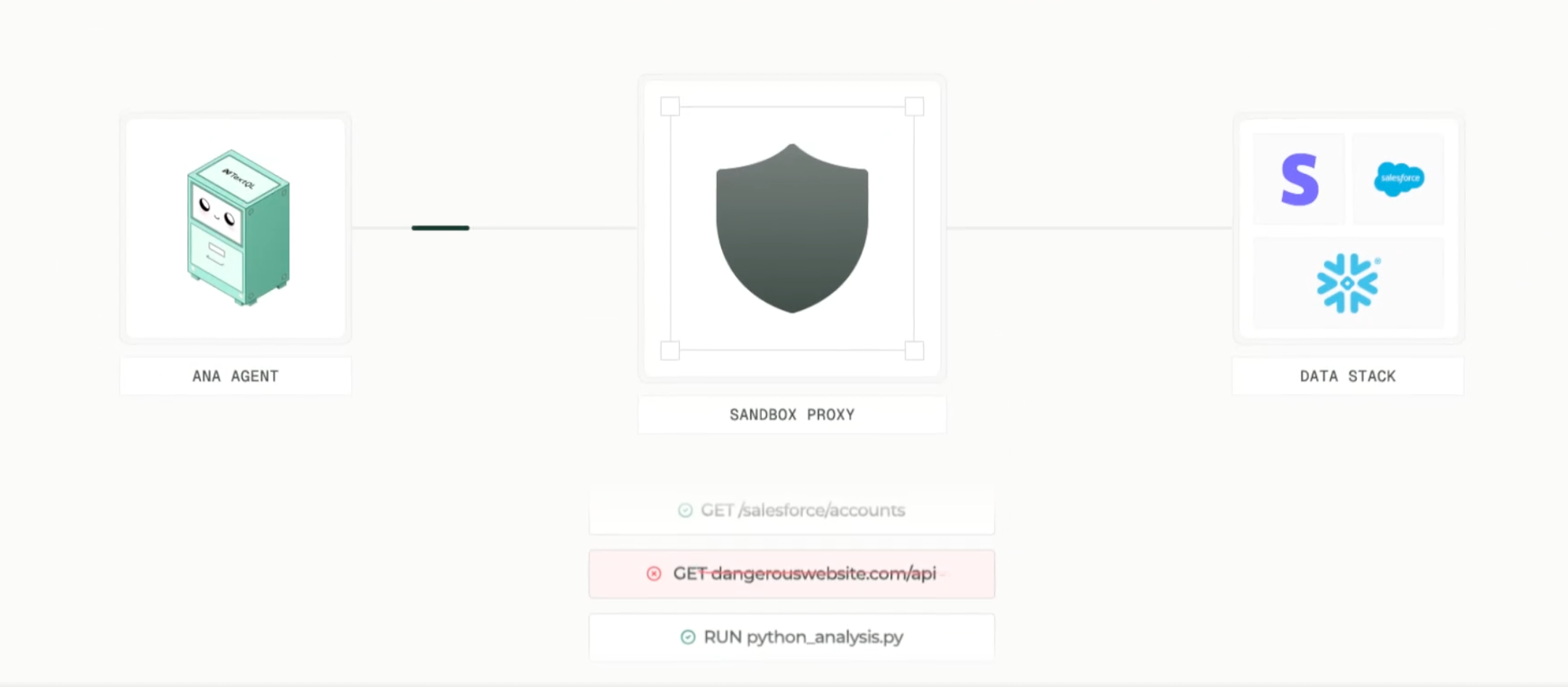
Tokens are stored at the connector level and injected into requests at the network boundary. The Python sandbox has no access to them. Even if you read every line of Ana's generated code, there are no credentials in it.
What You Can Build
Anything that combines warehouse data with live API data. A few patterns we've seen:
Analysts building dashboards that join Snowflake tables with live Salesforce pipeline data without intermediate staging. Product teams pulling Amplitude event data alongside warehouse metrics in the same Playbook. Engineering teams querying GitHub's API for PR stats and correlating with deployment frequency from their warehouse.
The connectors are available in Playbooks, Dashboards, and regular chat. Any analysis Ana can run, she can now run with API data mixed in.
Migrating from Secrets
If your org was using the Secrets feature, you'll want to migrate. We are going to be deprecating Secrets by April 1st, 2026 (no, this is not an April Fools joke).
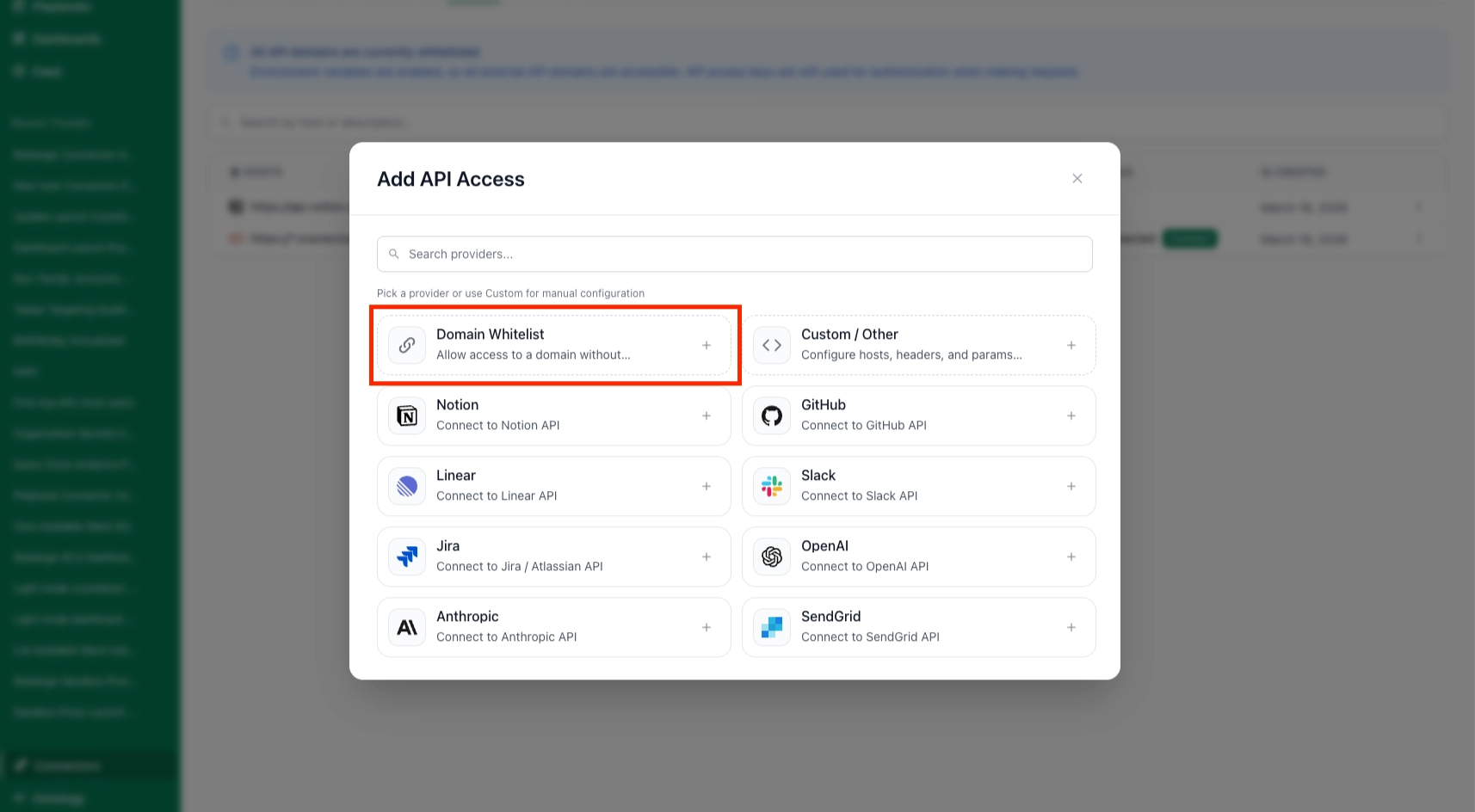
The migration: identify which APIs you use, create a connector for each domain, paste your existing tokens into the connector's auth fields, and set sharing permissions. It is also critical to consider what unauthorized domains are required. You can configure a whitelist of domains in the APIs Tab > New API Access > Domain Whitelist. The Secrets tab will remain available during the transition, but new orgs won't have it.
Try It Today
API Connectors are available now to all TextQL customers.
To add a connector, go to Connectors > APIs > New API Access and pick a template or configure a custom one. New to TextQL? Book a demo, reach out at support@textql.com, or try it today.